
Download EasilyLearn – AI‑Powered Study Companion, Document Converter, Quiz Generator
Overview
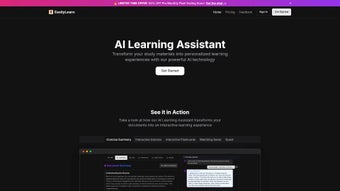
EasilyLearn is an AI‑driven web application that converts static study material into an interactive learning ecosystem. Whether you are a high‑school student battling dense textbooks, a university scholar preparing for finals, or a professional needing rapid mastery of new concepts, EasilyLearn adapts to your workflow and learning style. The platform accepts a wide variety of input formats—including PDF, DOCX, PPTX, TXT, and even live URLs—so no document is left behind.
Once uploaded, the intelligent engine parses the content, extracts core ideas, and restructures the material into a suite of study aids: personalized study guides, on‑the‑fly quizzes, spaced‑repetition flashcards, mind‑map outlines, and an audio summarization feature that lets you listen to concise overviews while commuting or exercising.
The integrated study planner helps you set realistic objectives, track progress, and stay motivated through visual dashboards and reminder notifications. EasilyLearn operates on a freemium model: a generous free tier offers up to three document conversions per month, while premium plans unlock unlimited uploads, advanced analytics, priority AI processing, and deeper insights such as concept‑level heatmaps.
Security and privacy are baked in; all uploads are encrypted both at rest and in transit, and the service complies with GDPR and CCPA regulations, ensuring your data remains under your control.
Because it runs entirely in the browser, the application is platform‑agnostic and can be accessed from any modern device—Windows, macOS, Linux, Android, or iOS—without the need for a traditional download or installation. In short, EasilyLearn bridges the gap between static documents and active learning, delivering a seamless, secure, and customizable study environment that can be accessed from any modern browser.
Key Features That Redefine Learning
EasilyLearn packs a comprehensive set of AI‑powered capabilities designed to transform the way you study. The following features are engineered to save time, boost retention, and keep you motivated throughout your learning journey. Each feature works in harmony with the others, creating a cohesive ecosystem that adapts to your progress and preferences.
- Multi‑Format Upload: Accepts PDFs, Word files, PowerPoint decks, plain‑text files, and direct URL imports, ensuring no study material is left behind.
- AI‑Powered Content Analysis: Advanced natural language processing extracts key concepts, identifies knowledge gaps, and structures information for optimal retention.
- Personalized Study Recommendations: Generates a roadmap based on difficulty, prior performance, and time availability, guiding learners toward the most efficient study path.
- Interactive Quizzes & Flashcards: Automatically creates multiple‑choice questions, true/false statements, and spaced‑repetition flashcards that adapt to user performance.
- Comprehensive Study Guides: Synthesizes original material into concise outlines, mind maps, and summary tables for quick reference.
- Audio Summarization: Converts written summaries into clear, natural‑sounding speech, supporting auditory learners and multitasking scenarios.
- Study Planner & Goal Tracker: Enables setting daily, weekly, or exam‑centric objectives, with visual progress dashboards and reminder notifications.
- AI Support Chat: Offers real‑time assistance, answering content‑specific questions, clarifying concepts, and suggesting additional resources.
- Secure Cloud Storage: All uploads are encrypted at rest and in transit; users retain full ownership of their documents.
- Free & Premium Plans: The free tier includes up to three document conversions per month, while premium subscriptions provide unlimited access, priority processing, and advanced analytics.
Installation & Usage Instructions – From First Click to Mastery
Step‑by‑Step Setup
Because EasilyLearn is a web‑based service, there is no traditional installation process. Users simply need a modern browser (Chrome, Edge, Firefox, Safari) and an internet connection. Follow these steps to get started:
- Create an Account: Visit easilylearn.com and click “Sign Up.” Provide a valid email address, create a strong password, and verify your account via the confirmation email.
- Choose a Plan: After logging in, you’ll be directed to the pricing page. Select the free plan to explore core features or upgrade to Premium for unlimited uploads and advanced analytics.
- Upload Your Material: Click the “Upload” button on the dashboard. Drag‑and‑drop your file or paste a URL. The system supports files up to 50 MB on the free tier (unlimited on Premium).
- AI Processing: Once uploaded, the AI begins parsing. You’ll see a progress bar and an estimated completion time (usually under a minute for standard documents).
- Review Generated Content: After analysis, a sidebar presents options: “Study Guide,” “Quiz,” “Flashcards,” and “Audio Summary.” Click any to view or customize.
- Customize & Export: Tailor quizzes by selecting difficulty levels, edit flashcards, or adjust the audio speed. Export options include PDF, CSV (for flashcards), and MP3 (for audio).
- Plan Your Study Sessions: Use the built‑in planner to set study blocks. The system will automatically schedule review sessions based on spaced‑repetition algorithms.
- Utilize AI Support: If you encounter confusing concepts, click the chat icon and ask the AI for clarification or additional examples.
Tips for Maximizing Efficiency
To get the most out of EasilyLearn, consider the following best practices:
- Chunk Large Documents: Break extensive PDFs into smaller sections (e.g., chapters) before uploading. This improves processing speed and yields more focused quizzes.
- Leverage the Audio Feature: Listen to summaries while commuting or exercising; auditory reinforcement enhances memory retention.
- Regularly Update Your Planner: Adjust study goals weekly to reflect progress; the AI will recalibrate recommendations accordingly.
- Combine Flashcards with Quizzes: Use flashcards for quick recall and quizzes for deeper understanding; the platform syncs performance data across both.
- Take Advantage of Export Options: Save study guides as PDFs for offline review, or download flashcards to import into Anki for long‑term spaced repetition.
Overall, the user experience is designed to be frictionless: no software downloads, no compatibility headaches, and a consistent interface across devices, making it ideal for learners who value flexibility and speed.
Conclusion – Pros, Cons, FAQ, and Your Next Step
Pros
- AI‑driven content analysis delivers highly personalized study material.
- Supports a wide array of file formats and live URLs.
- Integrated audio summaries cater to auditory learners.
- Free tier provides meaningful functionality without a credit card.
- Secure, GDPR‑compliant handling of user data.
- Study planner and AI chat keep motivation high.
Cons
- Limited offline access; requires an internet connection.
- Free plan caps document uploads at three per month.
- Advanced analytics (e.g., concept‑level heatmaps) are premium‑only.
- Processing large multimedia PDFs can take longer than expected.
Frequently Asked Questions
Can I use EasilyLearn on mobile devices?
Yes. Because the platform is web‑based and responsive, it works on iOS and Android browsers. All features—including quiz generation and audio summaries—are fully functional on smartphones and tablets.
Is my uploaded content stored permanently?
Uploaded documents are encrypted and stored only for the duration needed to generate the study assets. Premium users can choose to keep files indefinitely; free users have a 30‑day retention policy.
How does the pricing structure work?
EasilyLearn offers a free tier (up to three document conversions per month) and two premium subscriptions: Monthly ($9.99) and Annual ($99.99) which include unlimited uploads, priority AI processing, and advanced analytics.
Can I integrate EasilyLearn with existing LMS platforms?
While direct plug‑ins are not yet available, you can export study guides, quizzes, and flashcards as PDFs or CSV files and manually upload them to most Learning Management Systems (Moodle, Canvas, Blackboard).
What browsers are officially supported?
The latest versions of Chrome, Edge, Firefox, and Safari are fully supported. Older browsers may experience reduced performance or missing features.
Final Verdict & Call to Action
EasilyLearn stands out in the crowded edtech market by marrying robust AI capabilities with a clean, user‑centric interface. Its ability to instantly convert static documents into interactive, multimodal study tools saves time and boosts retention, making it a valuable companion for anyone serious about learning. While the reliance on an internet connection and the free tier’s upload limits may be minor drawbacks, the overall value—especially for premium subscribers—far outweighs these constraints.
If you’re ready to upgrade your study workflow, sign up for a free account today and experience the transformation yourself. For power users, the annual premium plan offers the best cost‑per‑feature ratio and unlocks unlimited document processing, priority AI support, and deep analytics that can accelerate exam preparation and professional development.
Take the first step toward smarter, more efficient learning—download your first document to EasilyLearn now and let AI do the heavy lifting for you.
Rating: 4.7/5
EasilyLearn’s AI analysis is impressively accurate, and the audio summaries are a game‑changer for my commute. The only wish is for offline capability.



.png)



